It all started in 2013 with Hummingbird. Never heard of it? No problem. Google is known for naming major and fundamental algorithm updates after animals. Panda (2011) and Penguin (2012) were followed by Hummingbird (2013), which heralded the age of semantic search.
In short, Google has since been attempting to identify, understand, and evaluate relationships. Specifically, this concerns the relationship between so-called entities. Google itself explains exactly what this is in the relevant patent:
An entity is a thing or concept that is singular, unique, well-defined, and distinguishable. For example, an entity may be a person, place, item, idea, abstract concept, concrete element, other suitable thing, or any combination thereof.
{{divider}}
What are entities used for in SEO?
In search engine optimization, we use entities for semantic content optimization. For example, if we want to write about the Oscars, Google's knowledge database already contains other entities that are related to the Oscars. If these entities appear in the text, Google understands that our text is relevant to the term "Oscars."
In relation to the example of the Oscars, these would include: movie, stage, winner, trophy, award, actress, red carpet, Gary Oldman, and Emma Stone (source: Entity Explorer).
At the same time, we convey to the search engine that our text does not revolve around another meaning of the word "Oscar." According to Wikipedia , Oscar is also a legendary figure from Irish mythology, a city in the USA, a satellite, a car brand, a character from Sesame Street, and various Brazilian soccer players.
Below, I will introduce five tools for finding relevant entities and semantically optimizing your own content. I will demonstrate all of the tools using the example of Oscar.
{{divider}}
#1 Entity Explorer
The tool can be found at entityexplorer.com and is very easy to use. The short explanatory video on the home page is not really necessary because the tool is designed to be intuitive. Here is the result for "Oscar."
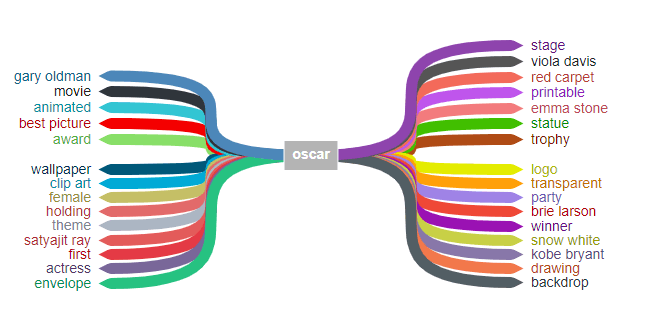
The colored arrows can be moved as desired. The display can be customized and the results sorted according to your preferences. In addition, further entities can be displayed in addition to those already found. The results can be easily downloaded using the "export image" button.
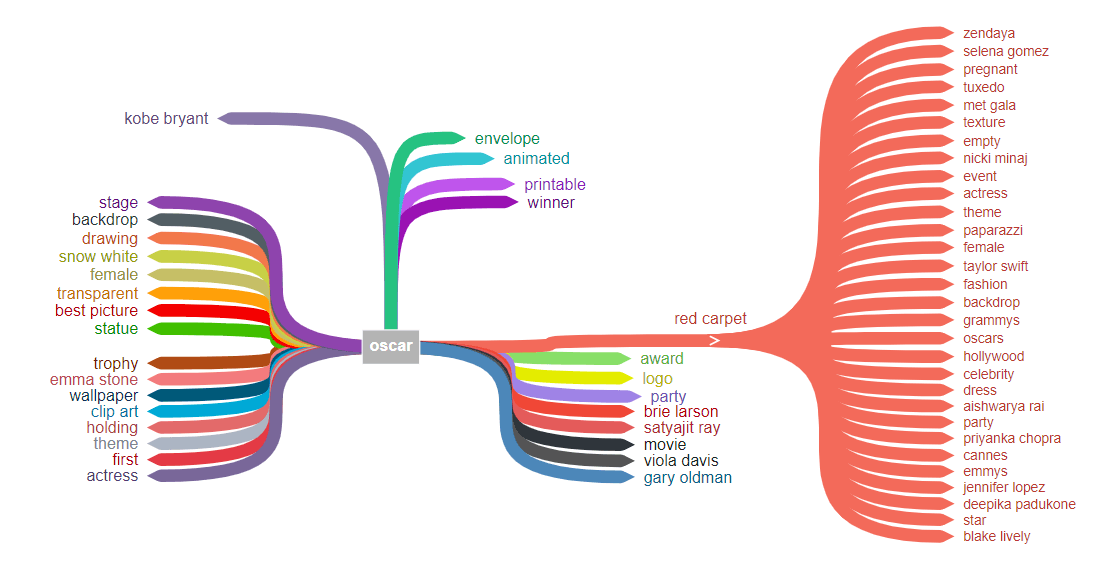
The tool also works in German. However, the term must be clearly assignable to the German language, which is not the case with Oscar.
{{divider}}
#2 Entity extractor
This tool is a browser extension combined with the Dandelion API. Alexander Rus explains exactly how to set it up in his video from minute 17:01. As you may have guessed from the name, the browser extension originally comes from Spain, but this has no influence on the result.
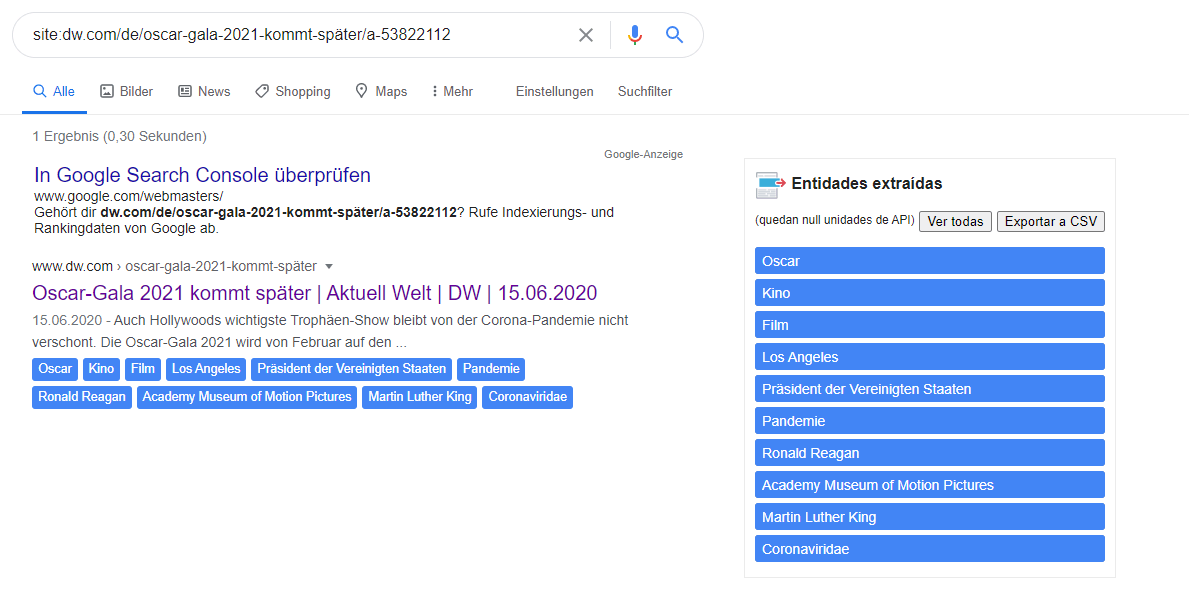
Once you have entered a search term in Google, simply click on the browser extension and it will show you the entities found directly in the SERPs.

In addition, you will see a summary of the most frequently found entities on the right-hand side of the SERPs. These can also be exported as CSV files using the corresponding "Exportar a CSV" button.

The tool also works in combination with a site query. Let's say you've already published your article and now want to identify the entities. Then simply search for site:my-domain.com/article and then click on the browser extension. This only works if the URL is also in the Google index. Let's imagine I own the domain dw.com, then my result would look like this.
{{divider}}
#3 Google Docs & Google Natural Language
These two tools come directly from Google itself. On the one hand, we have Google Docs, which is essentially Google's version of MS Word. A Google account is required to use this tool. On the other hand, we have the demo of the Natural Language API.
Both tools can be used to explore either the entities in your own text or those in someone else's text.
Although most people probably know how to create and edit Google Docs, this feature is often overlooked. In Google Docs, simply copy the text into a blank document. As an example, I'll use the introductory text from the Wikipedia article on the Oscar (Academy Award). You can see the "hidden feature" for displaying the entities in the screenshot where the red arrows point.
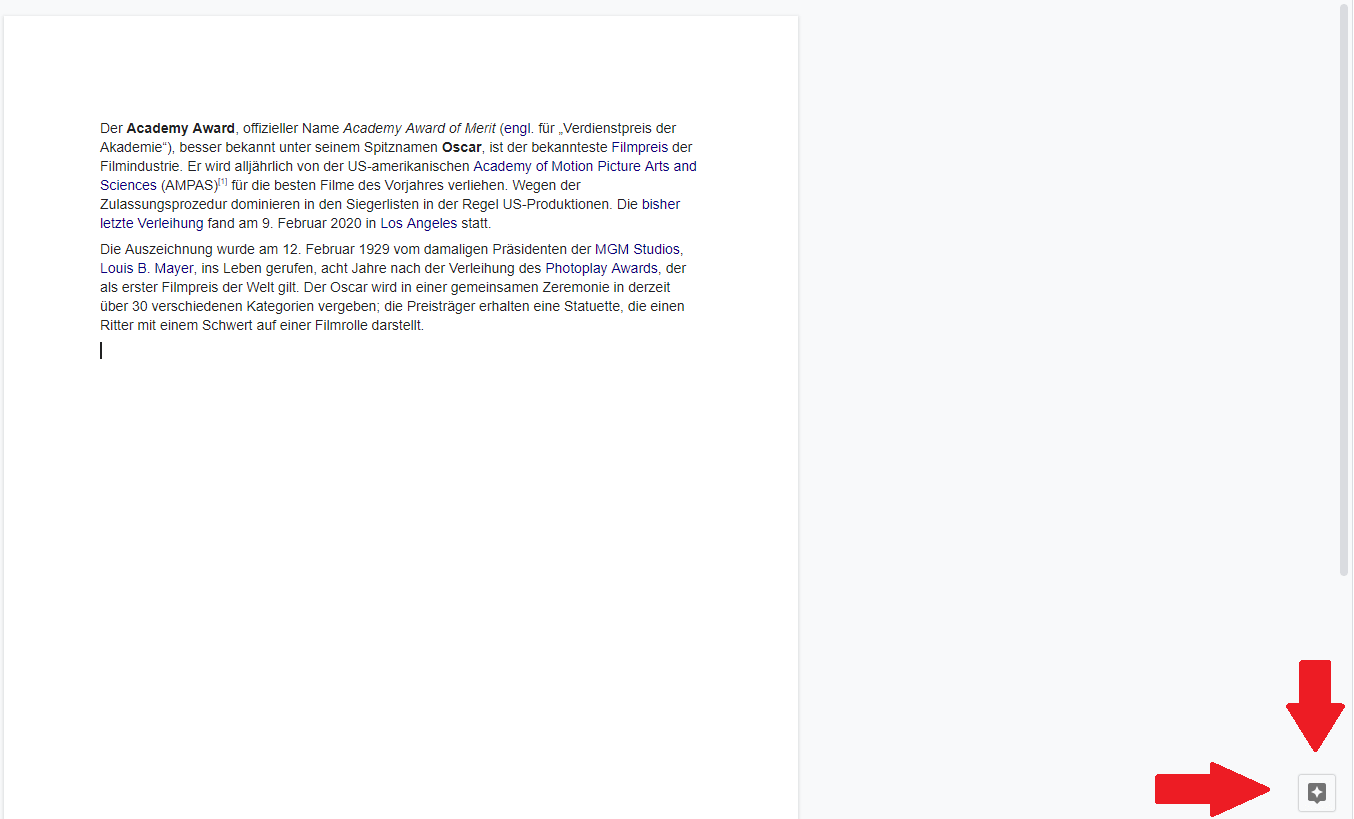
A kind of knowledge graph will then open (depending on the topic of the text, less information may be available). If you now click on More next to Topics at the top, you will see a list of entities that Google has extracted from the text and that you have written about.
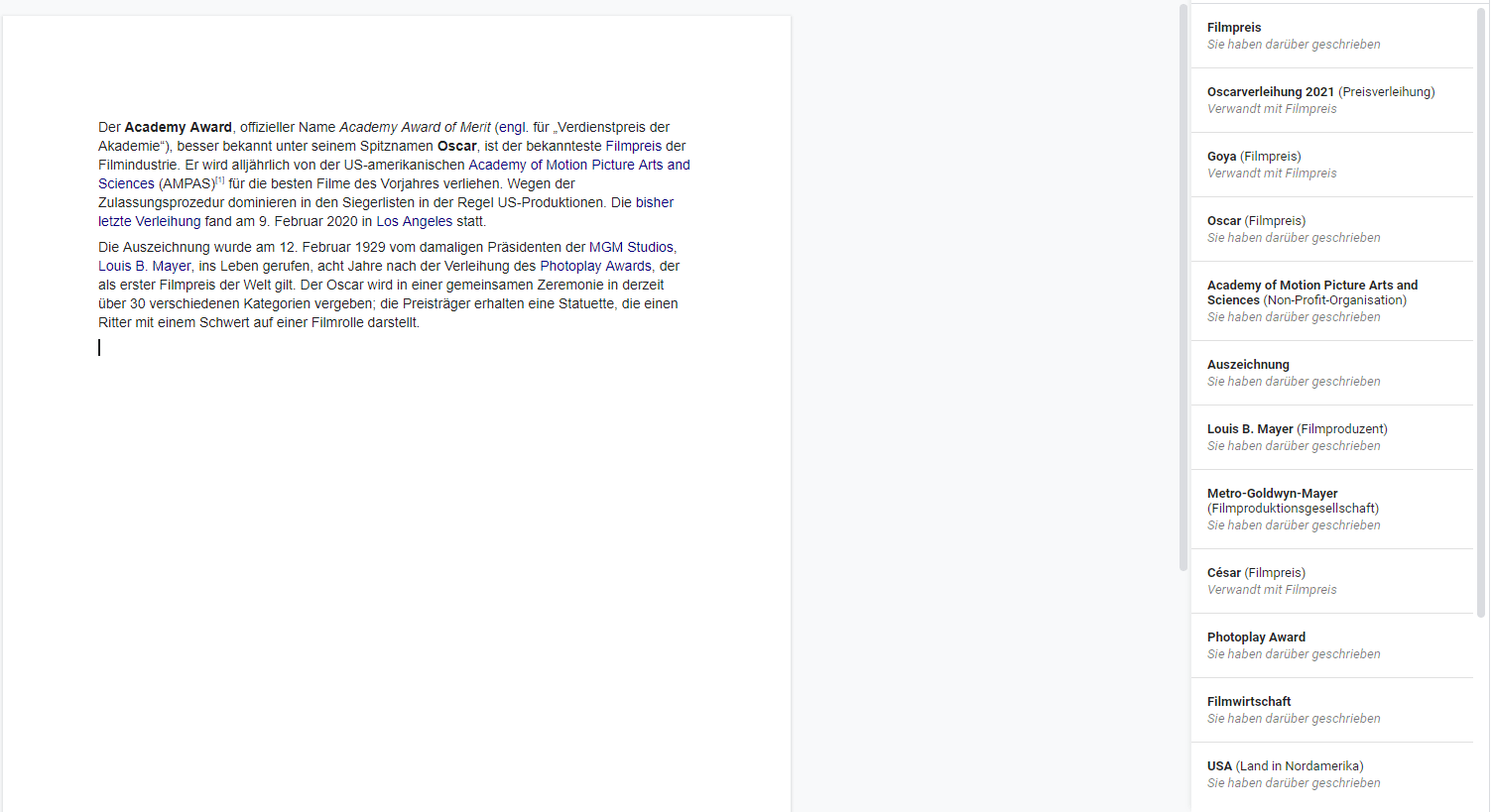
The Natural Language API demo works on the same principle. Simply paste the text into the field provided and click ANALYZE.

The result is again a list of entities sorted by salience score. The salience score ranges from 0 to 1. The higher the salience score, the stronger the connection between the text and this entity. In the example, the entity "film award" has the highest score of 0.16, which makes sense in relation to a text on the subject of the Oscars.

{{divider}}
#4 Also Asked
On alsoasked.com you will find a tool that helps you find relevant questions about an entity. You are probably also familiar with the "Users also ask" box that occasionally appears in search results.

The algorithm generated these questions itself based on its own understanding. The search engine therefore shows us which questions and topics it would like to have answered about the entity we are searching for.
As you may know, new questions always pop up as soon as you click on one. SoAsked helps you understand the connection between questions, visualize it, and cluster them. It is important that you select the correct language and country.
The result shows a kind of flow chart that can be read from left to right. As you can see, the last question, "How old is Oscar?", no longer refers to the film award, but to real people. This question (and the following ones) would therefore be semantically unsuitable for a text about the Oscar film award.

{{divider}}
#5+1 Wikipedia + Google Image Search
Finally, two quick wins. If there is a Wikipedia article for a term, it is worth taking a closer look at it. It is no longer a secret that Google draws a lot of information from Wikipedia and learns from it. Not least, the internal links and article structure allow the search engine to establish many relationships.
If we look at the introduction, we can see that there is a high degree of overlap between the anchor texts of the internal links and the entities from Google Tools (Google Docs and Natural Language API).

The Google Image Search can also be used to discover one or more entities. This involves the suggestions that can be seen between the search bar and the images.

{{divider}}
Conclusion
Entities are a great way to semantically optimize your own content and tell the algorithm: Hey, look, my text is extremely relevant to this topic. Nevertheless, SEO still consists of many individual disciplines whose significance should not be neglected. Rather, keyword and entity optimization should go hand in hand. Finally, it's important to remember to use your own head. If you don't just blindly optimize using tools, but instead use the tools to support you and continue to work in a user-centered way, you can look forward to success in the future.