
Product update · August 5, 2026 · Strategic topic planning
Newsroom view: prioritize topics by score
Strategic topic planning gets a third view. Alongside the table and Kanban views, the Newsroom view shows the score, responsibilities and briefing for each topic at a glance.
Topics can be sorted by score, so you can see immediately which topic goes into production next.
Visible to admins, managers and authors:
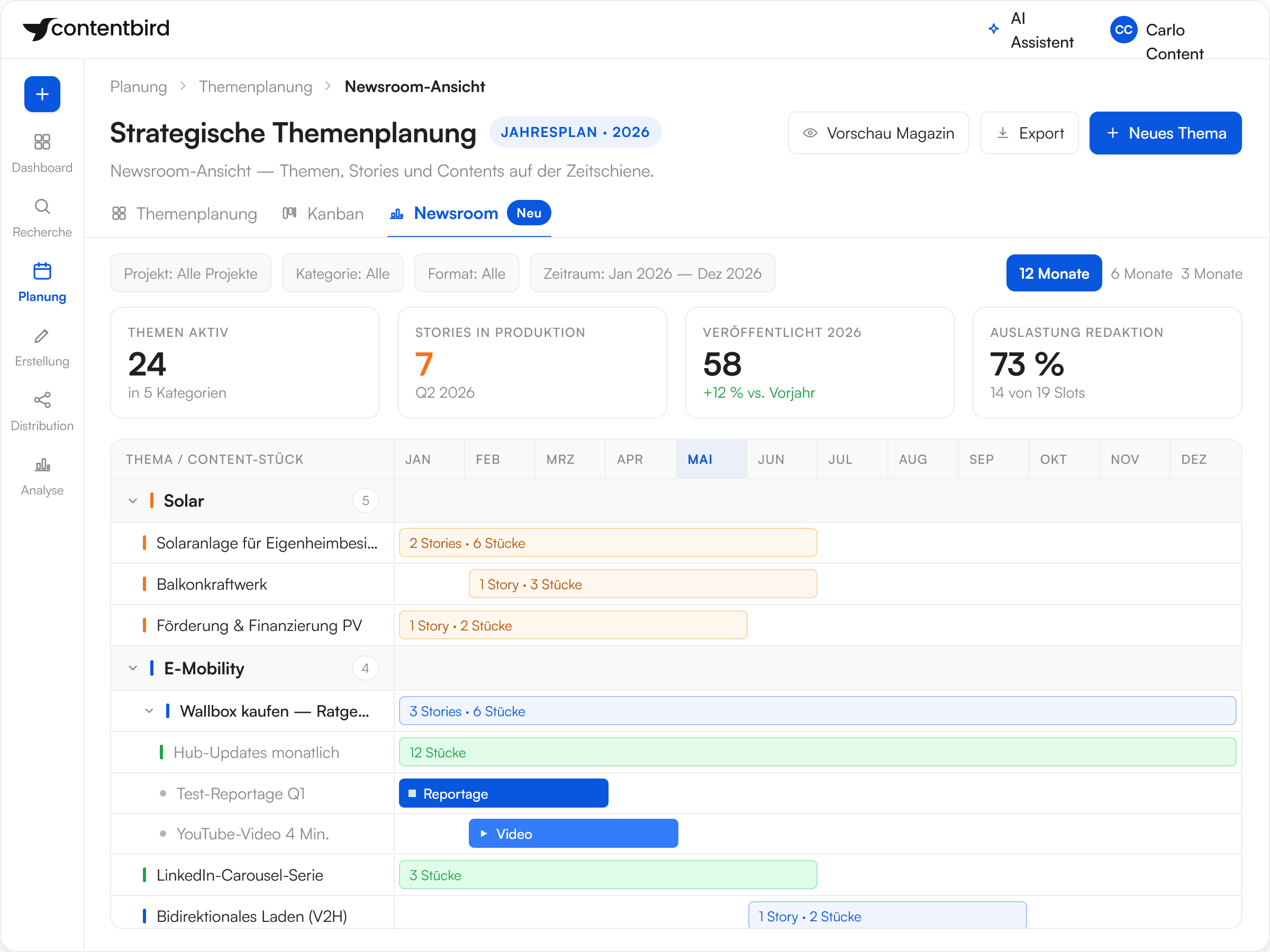


What the Newsroom view shows
- Score per topic
Each topic receives a value based on your own scoring dimensions, such as timeliness, reach potential and SEO potential, weighted to a total of 100 percent.
- Responsibilities at a glance
Who owns which topic is shown right in the view. No more follow-up questions via mailing lists.
- Briefing without detours
The briefing is attached to the topic, not kept in a separate document. The path from decision to production gets shorter.
- Set up in two steps
Assign managers under Administration, Project, Details. Define scoring dimensions under Administration, System, Strategic topic planning, Scoring.
See the Newsroom view live
Why prioritization belongs in the process

Decisions become transparent
A score replaces debates based on gut feeling.
The criteria are defined in advance and visible to everyone.

Capacity goes into the right topics
What's at the top gets produced.
Topics without impact don't tie up editorial time.

Planning and production stay connected
The view sits in the same topic planning as the calendar and pipeline.
No export, no second list.
